


Easy Downloader - Video Hub
4.4613.00 Reviews
App Specs
- Version
- 2.7.1
- Updated On
- License
- Free
- Downloads
- 10,000,000+
- Developer
- Dhvankit
- Categories
- Video Players & Editors
- Platform
- Android
Screenshots
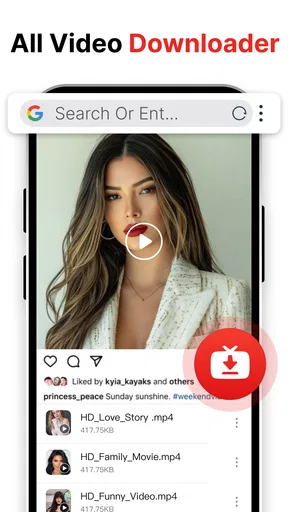
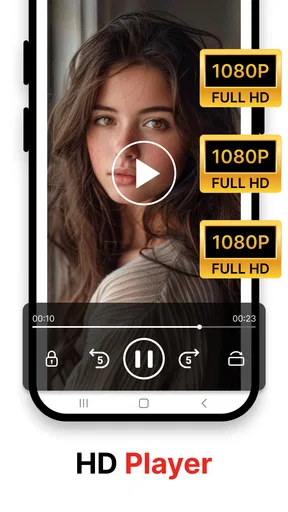
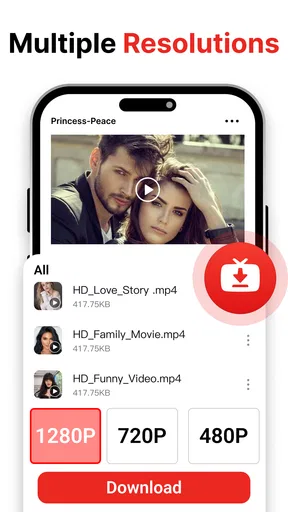
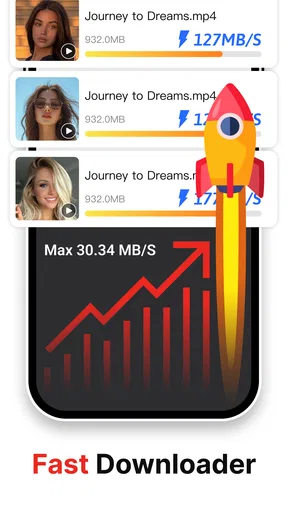
 Analysis by AppCompare
When a video link refuses to load, it is tempting to assume the downloader is broken. I’ve found that the more useful first question is whether the link is still available to view in its original app or website. Easy Downloader - Video Hub is designed to help save social media videos, but it cannot make an unavailable or restricted post accessible. That distinction saves time: check the original post before repeatedly pasting the same link.
Where the download process can snag
The basic link-copy-and-paste workflow sounds simple, yet it depends on copying the right address. A share link may lead to a profile, a collection, or a page rather than the individual video. If a download does not begin, I would reopen the post, use its share option to copy the link again, and paste that fresh link into the app. It is a small check, but it is more useful than tapping download repeatedly.
Another practical snag is confusing a preview with a completed save. I would wait for the download process to finish before leaving the screen, then look for the video in the app’s media area or the device’s usual video locations. A file that has not finished downloading may not be ready to play offline. If the app shows no clear result, trying one short, publicly viewable clip first can help separate a link problem from a larger workflow issue.
There is also a sensible limit to what any downloader can do: social platforms can change how their posts are shared or accessed. A link that worked before may stop behaving the same way after a platform change, or it may require access that the downloader does not have. I would treat that as a possible compatibility issue rather than assume every failed attempt means the app itself is at fault.
Setup checks that prevent avoidable frustration
Before using the app for a larger saving session, I would test the whole process with one video: copy its link, paste it, start the download, and confirm that the saved file plays. This quick trial answers the questions that matter in practice: does the link work, does the file complete, and can I find it afterward? It is also a good way to learn where the app keeps downloaded media on your device.
Storage is worth checking before collecting a batch of clips. Videos can take up room quickly, especially when you keep several versions or save long tutorials. If a download fails partway through, freeing device space and retrying with a single link is a reasonable first step. I would avoid queueing a long list until I know there is enough room and the basic workflow is reliable.
For everyday use, I would also keep the source post open until I have confirmed the saved copy. That gives me a quick way to compare the download with the original and notice if I copied the wrong item. If the video is important, I would play it before deleting the source link or moving on; seeing a file name is not the same as knowing the video saved correctly.
Worth Reading Before You Choose

EA SPORTS FC Mobile 26 Is a Bigger Football Game, but It Takes Time

Flipboard Shows What News Apps Must Do Beyond the Feed

Switching to Android Auto Means Rethinking Your Driving Routine

Google Calendar Makes a Crowded Week Easier to Manage

Ludo King Makes the Most of the Minutes Between Plans

Baby Panda World Brings Quick Play to Modern Phones, but Its Game Library Feels Busy
Getting Started with Easy Downloader - Video Hub
First things first, downloading and setting up the app is a breeze. Available on both Android and iOS, it’s just a quick download away from your respective app store. Once the app is installed, you’re greeted with a clean and straightforward interface that doesn’t overwhelm you with too many options or ads, which is a huge plus in my book.
How Does It Work?
Using Easy Downloader - Video Hub is as simple as pie. The app allows you to download videos from a plethora of platforms, including social media giants like Instagram, Facebook, and more. You know those funny reels or inspiring videos you always wanted to keep? This app makes saving them super easy.
All you need to do is copy the link of the video you want to download, paste it into the app, and hit download. The process is quick, and the videos are saved directly to your device. Plus, the app supports multiple video formats, ensuring compatibility with whatever device or software you’re using to view them later.
Features That Stand Out
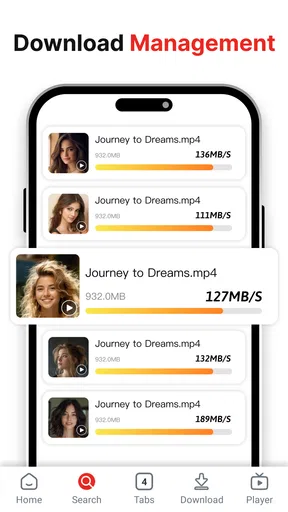
One thing I appreciate about Easy Downloader - Video Hub is its batch download feature. If you’re anything like me, you probably have a list of videos you want to save. Instead of downloading them one by one, you can queue them up and let the app do the work while you kick back and relax.
The app also offers a built-in media player, which is handy for previewing your downloads without having to leave the app. It’s these little conveniences that make the user experience so smooth.
Making saved clips useful day to day
A realistic use for the queue is preparing a small offline watch list before a commute or a trip. I would gather the specific clips I expect to need, add them in a manageable group, and check each one in the built-in player before leaving. That last step matters: a batch can save taps, but it also makes it easier to overlook a failed or incorrect item if you never review the results.
The player can also make the app useful as a simple holding place for saved videos. For example, if I find a cooking demonstration while scrolling and want to follow it later without relying on a connection, I can save it and preview it inside the app before cooking. For a tutorial that I may need repeatedly, I would keep the saved clip organized with the rest of my device’s files if I expect to open it through another player or editor.
That points to a trade-off: the built-in player is convenient for quick checks, but a dedicated video player or editing app is a better fit when I need advanced playback controls, detailed file management, or a full editing timeline. Easy Downloader is primarily useful for the saving step, not as a replacement for every tool in a video workflow.
Security and Privacy
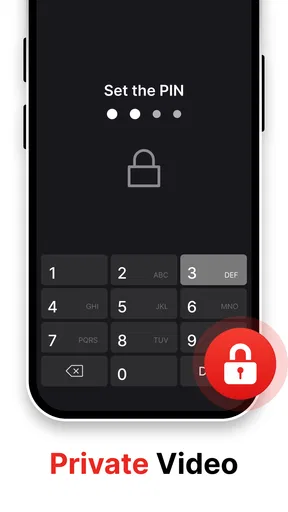
In today’s digital age, security and privacy are paramount. The app doesn’t require unnecessary permissions, which is reassuring. I’ve found that it respects user privacy and doesn’t collect data from your device, which is a solid win for any app user concerned about their personal information.
When a failed save may not be the app
If a download fails, I would first check whether the original video still opens normally and whether the copied link points to that exact post. Next, I would try a single link rather than a batch, make sure the device has available storage, and repeat the attempt. These checks are deliberately basic; they help identify common workflow problems without changing settings at random.
If the original post is private, removed, or otherwise unavailable to you, a downloader should not be treated as a way around those restrictions. The sensible option is to use content you can access and have permission to save. This is especially important if you plan to share a downloaded clip elsewhere: being able to save a video does not automatically grant permission to repost it.
When the source plays but a fresh link still fails, the issue may be a temporary change in how that platform handles links. I would try again later or use the platform’s own offline option if it offers one. For a video that must remain available, keeping a note of the original post and checking the saved copy before relying on it is safer than assuming every downloader can preserve every post indefinitely.
Who will get the most from it
This app is a good match for someone who often wants a few social clips available offline and prefers a direct link-based workflow over recording a screen. It may also suit people who collect references, recipes, or short how-to videos and want to preview saved items in one place. The developer is Dhvankit, and the app sits in the video player and editing space, though its practical appeal is chiefly the downloading and playback side.
It is less suitable for someone who expects a downloader to work with every post on every service, or who needs professional editing and careful media-library tools. If a platform already provides a reliable way to save its own videos for offline viewing, that first-party option may be simpler and more dependable. Likewise, users who rarely save clips may find that copying links and managing local files is more effort than it is worth.
The app is free, has a Teen content rating, and has a 4.4 average from around 156,000 ratings, with more than 10 million installs. It was released on December 3, 2024, and version 2.7.1 requires Android 8.0 or later. Those details suggest a widely used option, but popularity does not remove the need to test your own links and device workflow before relying on it.
Why You’ll Love It
Overall, Easy Downloader - Video Hub is a fantastic tool for anyone who enjoys collecting and saving videos for offline viewing. Whether you’re creating your own compilation of funny clips or need to save a tutorial for later, this app is up for the task.
Its ease of use, coupled with robust functionality, makes it a no-brainer choice. I love that it doesn’t bombard me with ads or drain my phone’s battery with unnecessary background activities.
So, if you’re in the market for a reliable video downloader, this app is definitely worth checking out. It combines simplicity with effectiveness, making it a must-have for anyone who likes to keep their favorite videos at their fingertips.
In conclusion, it’s not just about downloading videos; it’s about doing it in a way that’s hassle-free and enjoyable. Happy downloading!
Pros
- Supports multiple video formats effortlessly.
- Fast download speeds enhance user experience.
- User-friendly interface with intuitive controls.
- Allows batch downloading for convenience.
- Integrated browser simplifies video search.
Cons
- Contains ads that can disrupt user flow.
- Limited support for certain streaming sites.
- Requires permissions that may concern privacy.
- No built-in video player for instant viewing.
- Occasional crashes during large downloads.
FAQs for Easy Downloader - Video Hub
What is Easy Downloader - Video Hub used for?
Easy Downloader - Video Hub is designed to simplify downloading videos from various platforms directly to your device. With a user-friendly interface, it allows users to save videos for offline viewing, manage downloaded content, and organize files efficiently. The app supports multiple video formats and resolutions, enhancing user convenience.
Is Easy Downloader - Video Hub safe to use?
Yes, Easy Downloader - Video Hub is generally safe to use. However, users should be cautious about downloading content from untrusted sources, as this could expose them to malware or other security risks. It’s important to download the app from official app stores and keep it updated to ensure maximum security.
Does Easy Downloader - Video Hub support all video platforms?
While Easy Downloader - Video Hub supports a wide range of popular video platforms, it may not be compatible with every site due to restrictions or updates by those platforms. Users should check the app’s compatibility list and be aware that functionality might change as platforms update their policies.
Can I use Easy Downloader - Video Hub on both Android and iOS?
Yes, Easy Downloader - Video Hub is available for both Android and iOS devices. The app is optimized for each operating system to ensure a smooth and efficient user experience. Users can download the app from Google Play Store or Apple App Store depending on their device type.
Are there any in-app purchases or subscriptions in Easy Downloader - Video Hub?
Easy Downloader - Video Hub offers a basic version for free, but it may include in-app purchases or subscriptions for premium features. These could include an ad-free experience, higher download speeds, or additional storage options. Users should review these options to decide if they fit their needs before purchasing.


